HQ Enterprise Product Redesign
About Project
HQ is a complex corporate mobility platform serving employees who book for themselves, assistants, travel managers, and administrators.
The redesign explores how the product could be reorganized to simplify complex workflows, reduce duplication, improve discoverability, and create a scalable foundation for future growth.
- Product designer (solo)
- Information architecture
- Booking workflows

The Challenge
As HQ expanded, related features became scattered across the product, increasing navigation complexity and making core workflows harder to understand.
My goal was to simplify the experience without redesigning the entire platform, focusing on the information architecture and the primary booking workflow.
Understanding the Product
Main Product Areas
Personas
 Self-booker
“I need to quickly arrange and manage transportation for myself.”
 Assistant
“I need to arrange and manage transportation for another employee.”
 Travel Manager
“I need to efficiently arrange and manage transportation for multiple people.”
 Administrator
“I need to configure the platform, users, permissions, and transportation settings for my organization.”
The Problems
- Features organized around pages, not tasks
- Inconsistent terminology
- Competing primary and supporting actions
- Ambiguous roles and labels
- Closely related decisions split across steps
- Secondary content adds complexity
- Duplicate administrative areas
- Related tools spread across the product
- Limited room for future growth
Rethinking the Information Architecture
The existing navigation had grown around individual features rather than clear user tasks.
Related functionality was spread across multiple areas, while supporting and administrative tools competed with core workflows at the same navigation level.
Principles Behind the New Structure
- Group functionality by user task, not by individual feature
- Keep the primary navigation focused on the product’s main workflows
- Place supporting functionality close to the workflow where it is used
- Consolidate overlapping employee and administration controls
- Use clearer, more predictable terminology
Existing Information Architecture
- Passenger Info
- Date and Location
- Car and Payment
- Summary
- Upcoming Rides
- Ride History
- Favorites
- Coverage Map
- Manage Employees
- Approve Book-on-behalf Request
- Search Receipts
- Outstanding Charges
- Rides
- Ride Summary
- Top Routes
- Custom Reports
- Rides
- Sustainability
- Notifications and Messages
- Car Lines
- Tags
- Integrations
- Event Booking
Proposed Information Architecture
- Book a Ride
- Ride Details
- Date and Location
- Car and Service
- Summary
- Request Event Transport
- Favorites
- Coverage Map
- Upcoming Rides
- Outstanding Charges
- Ride History
- Receipts
- Manage Users
- Blocked Users
- Approve Book-on-behalf Request
- Ride Analytics
- Sustainability Analytics
- Reports
- Rides
- Ride Summary
- Top Routes
- Custom Reports
- Notifications and Messages
- Car Lines
- Tags
- Integrations
Redesigning the Booking Experience
New Booking is HQ’s primary workflow, but the existing experience separates closely related decisions across multiple steps and exposes users to booking rules that are not always easy to understand.
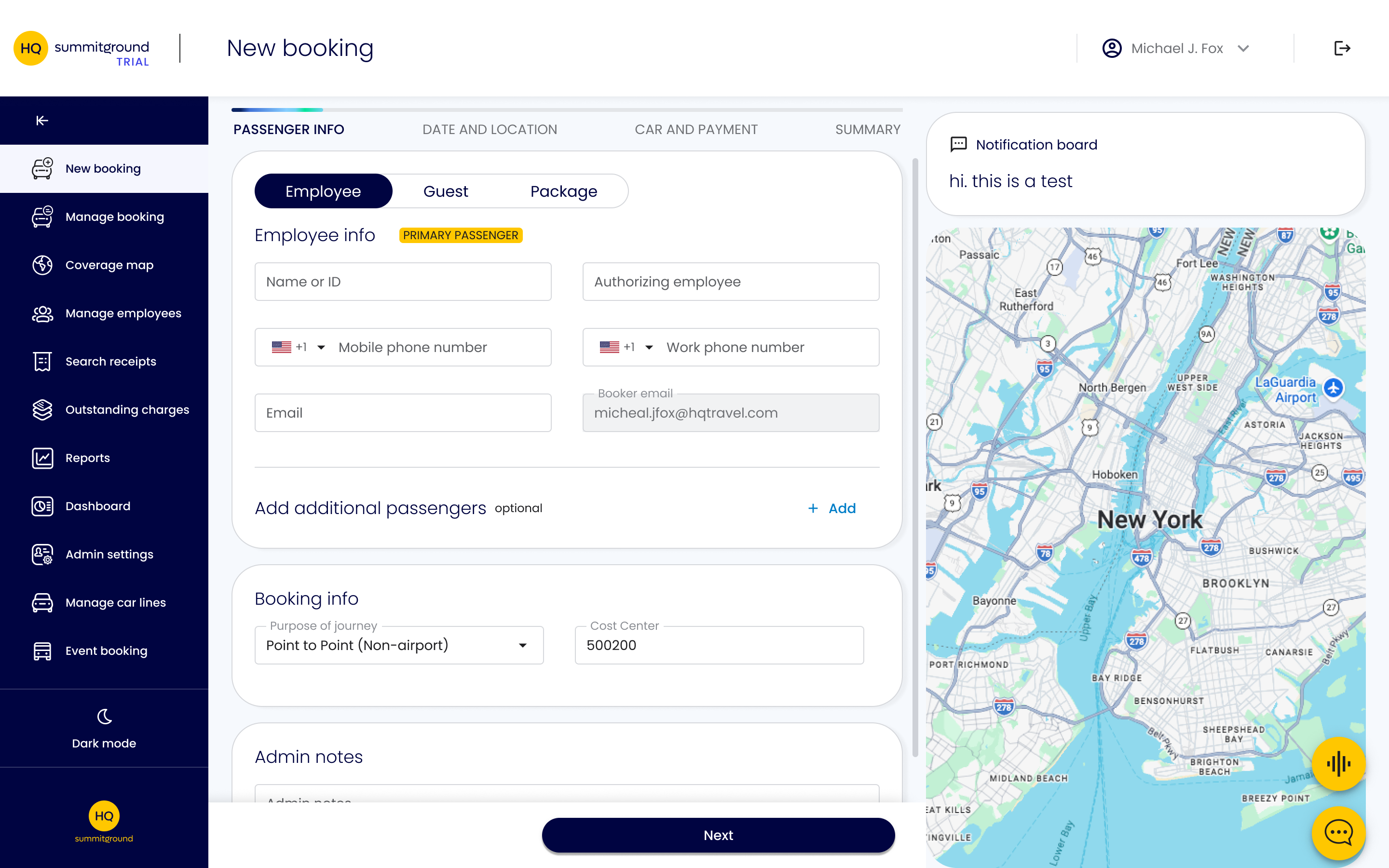
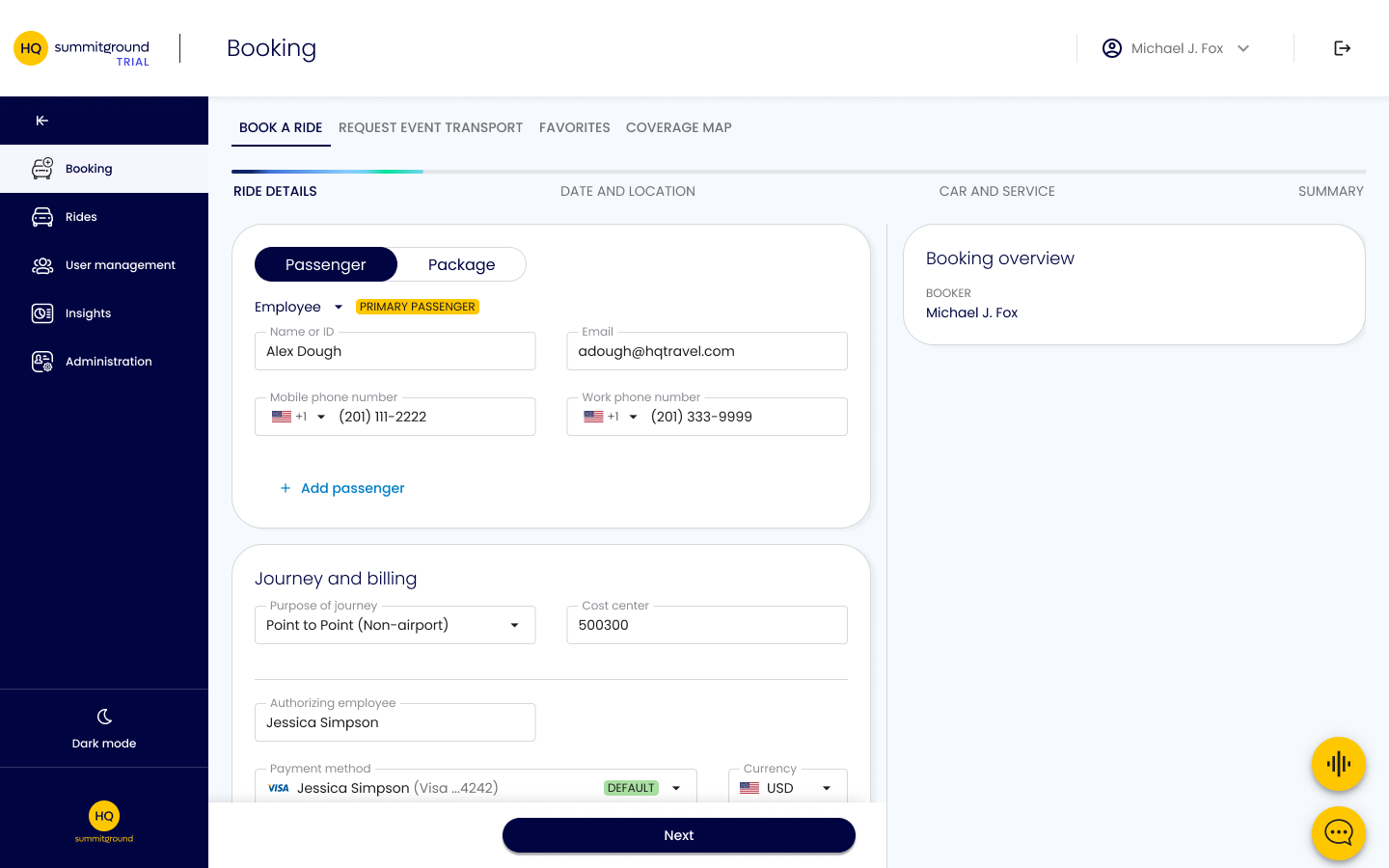
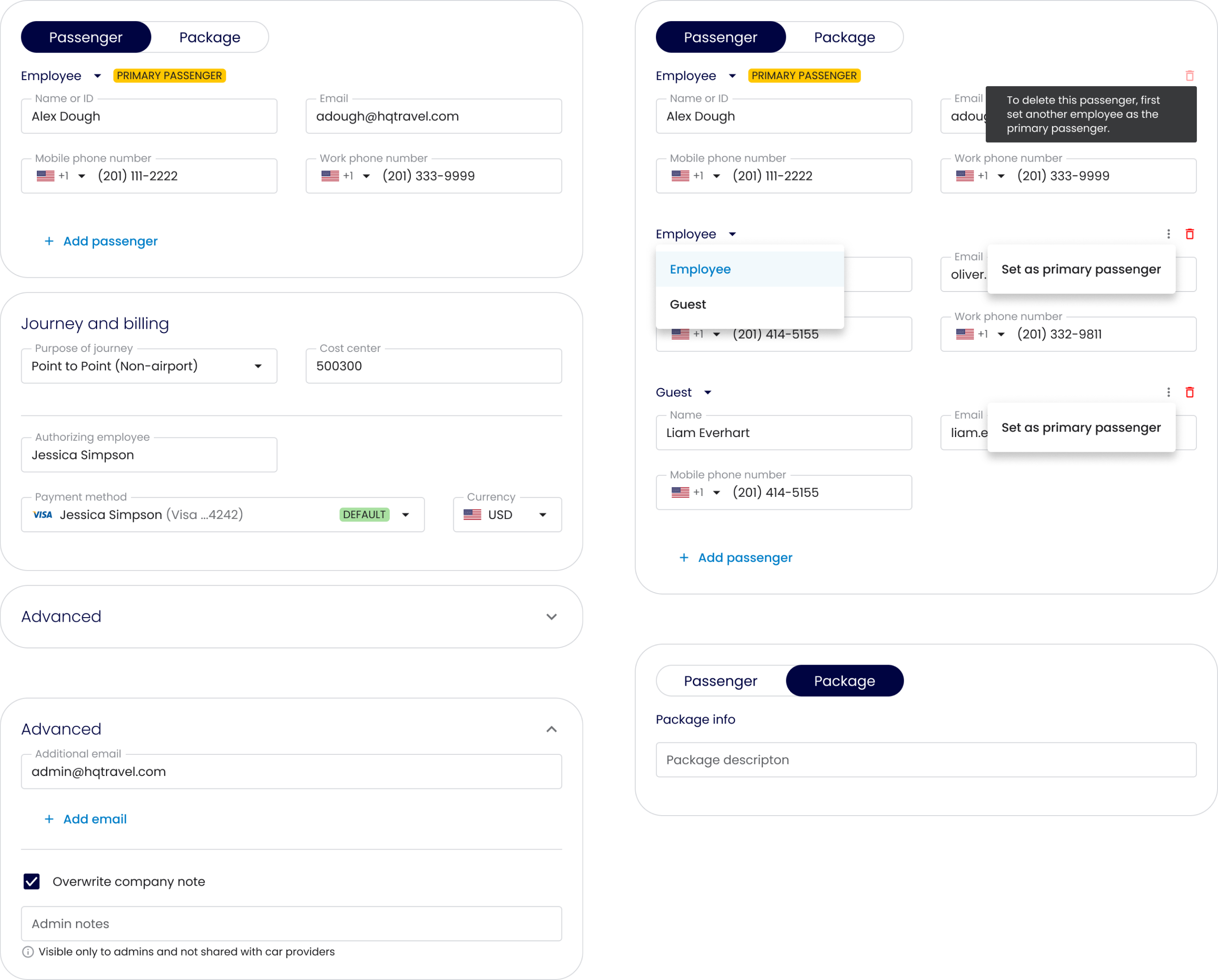
Passenger InfoRide Details
Problems
- The step’s name “Passenger Info” doesn’t reflect the content or the Package scenario
- Passenger / Booker / Authorizing Employee relationships are difficult to understand
- Secondary content—Admin Notes and Additional Emails—creates unnecessary complexity
- Large map occupies valuable space before it becomes useful
Key UX Decisions
- The step was renamed “Ride Details” to reflect its content
- Clear separation between Passenger / Booker / Authorizing Employee
- Secondary content—Admin Notes and Additional Emails—is placed inside a collapsible card
- The map was removed from this step
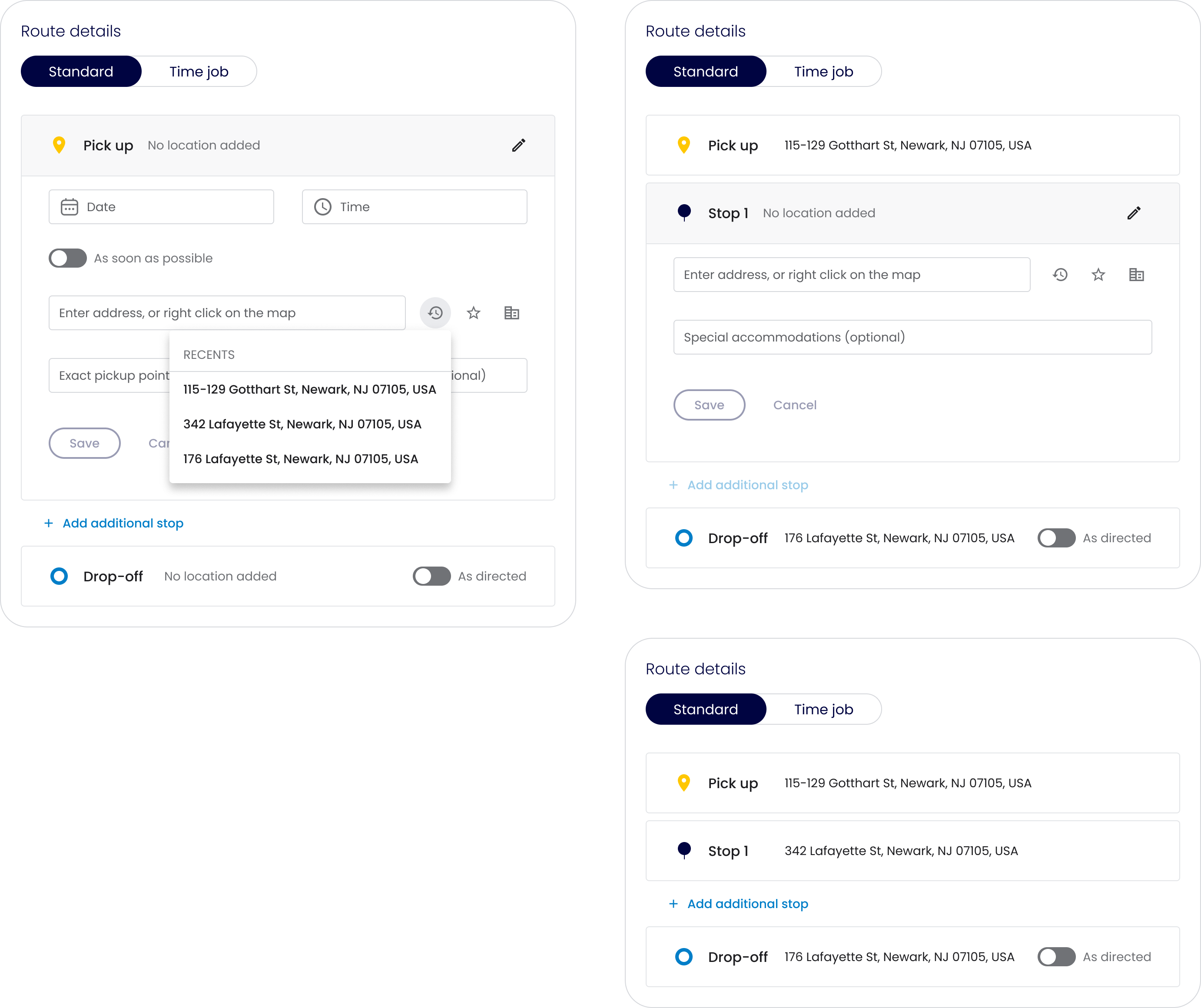
Date and Location
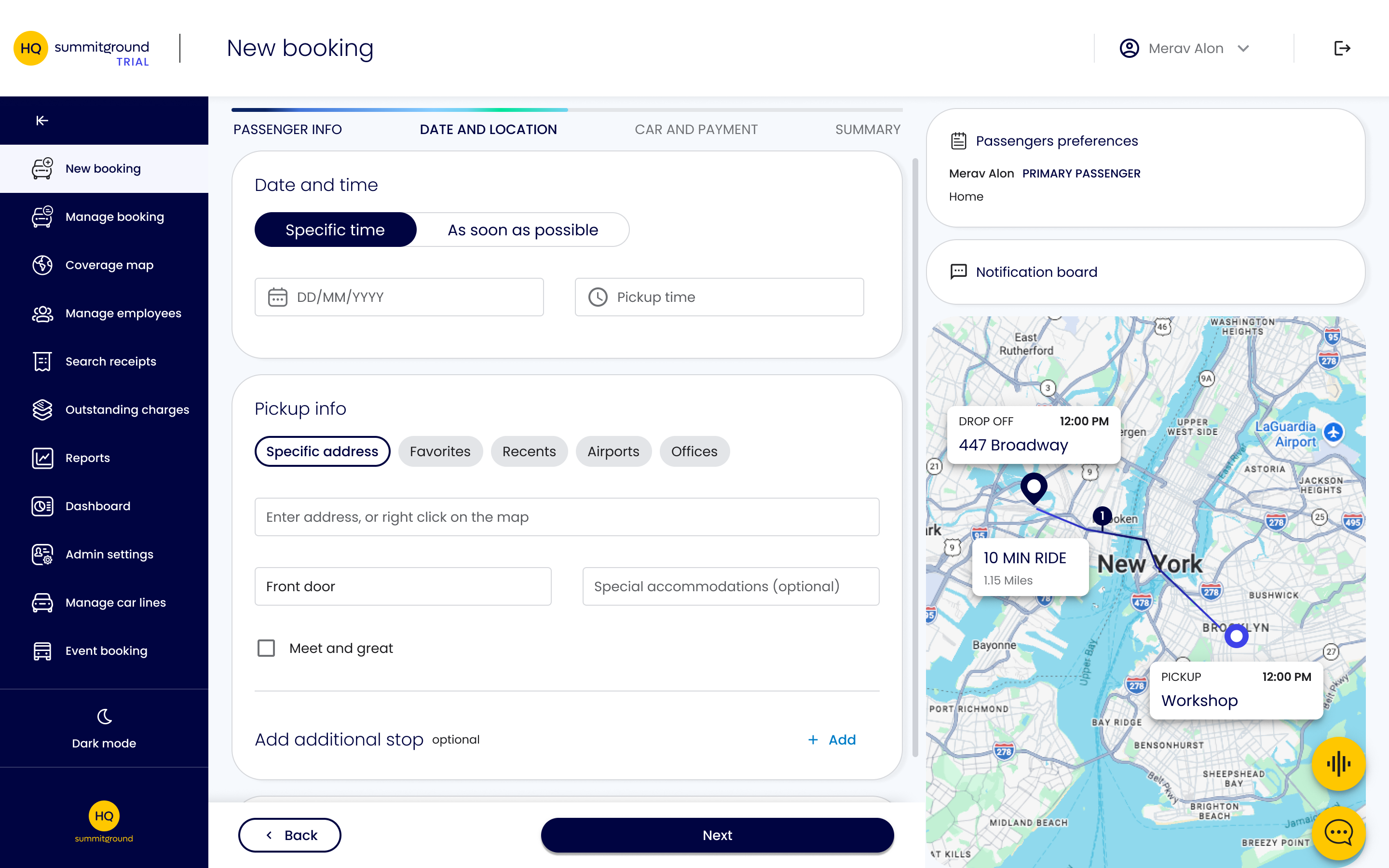
Problems
- The user can select Point to Point (Non-airport) and subsequently select an airport, creating contradictory booking information
- Airport and potentially Meet & Greet functionality can appear in contexts that conflict with previous selections
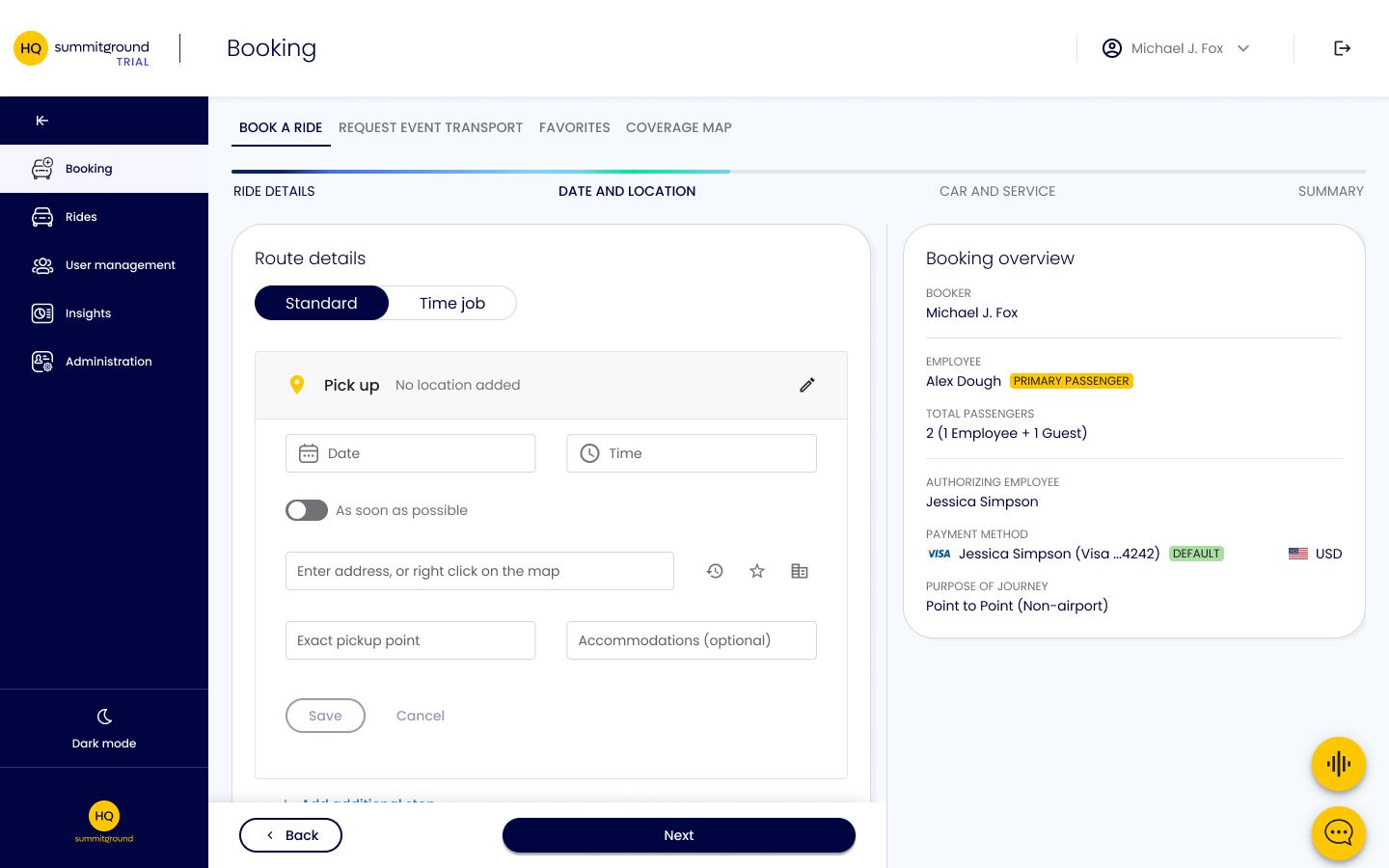
- Additional stops belong to the route, not Pickup
Key UX Decisions
- The content shown reflects the selected Journey purpose
- Meet & Greet is shown only when Airport is selected as the Journey purpose
- Additional stops are placed logically between Pickup and Drop-off
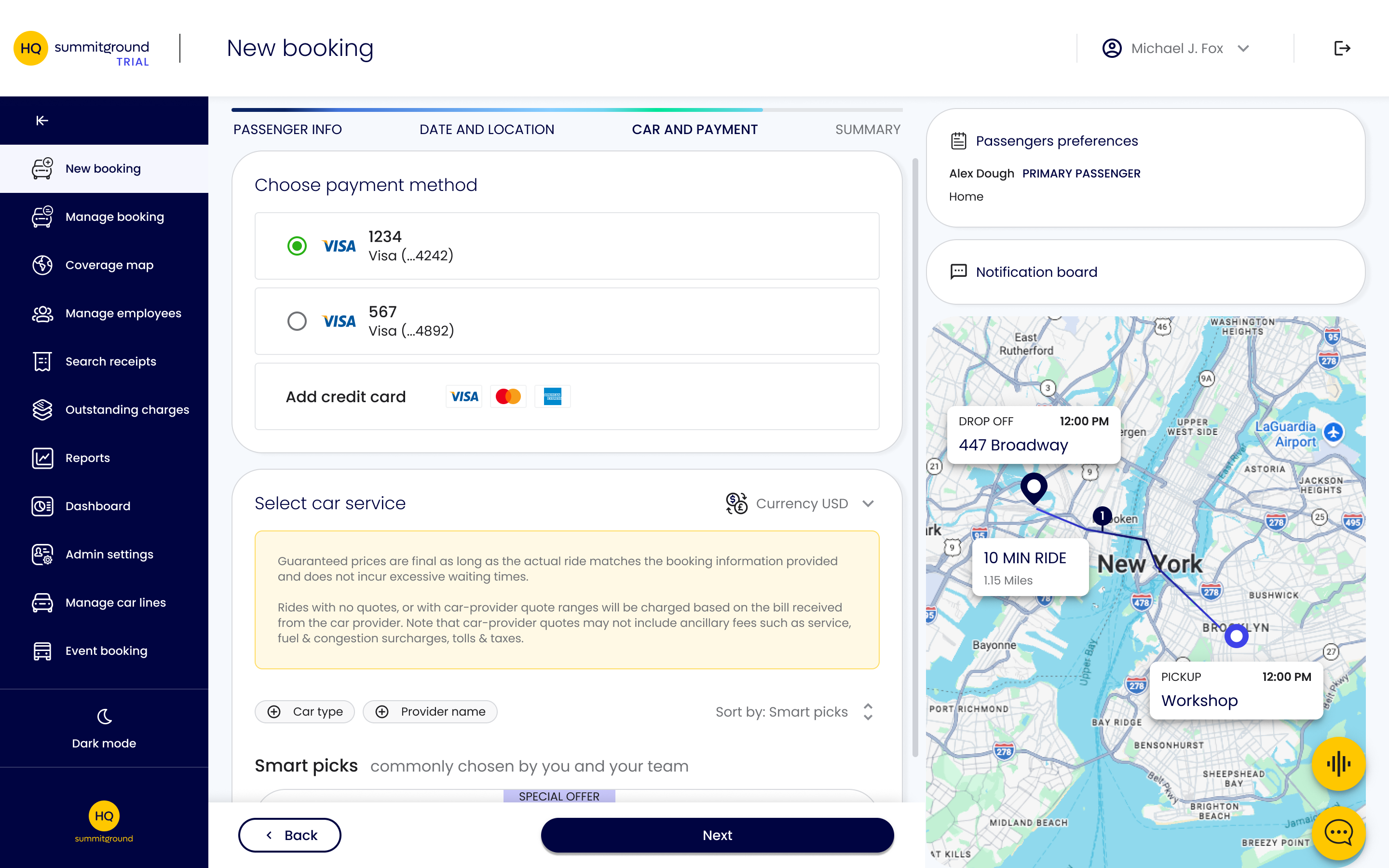
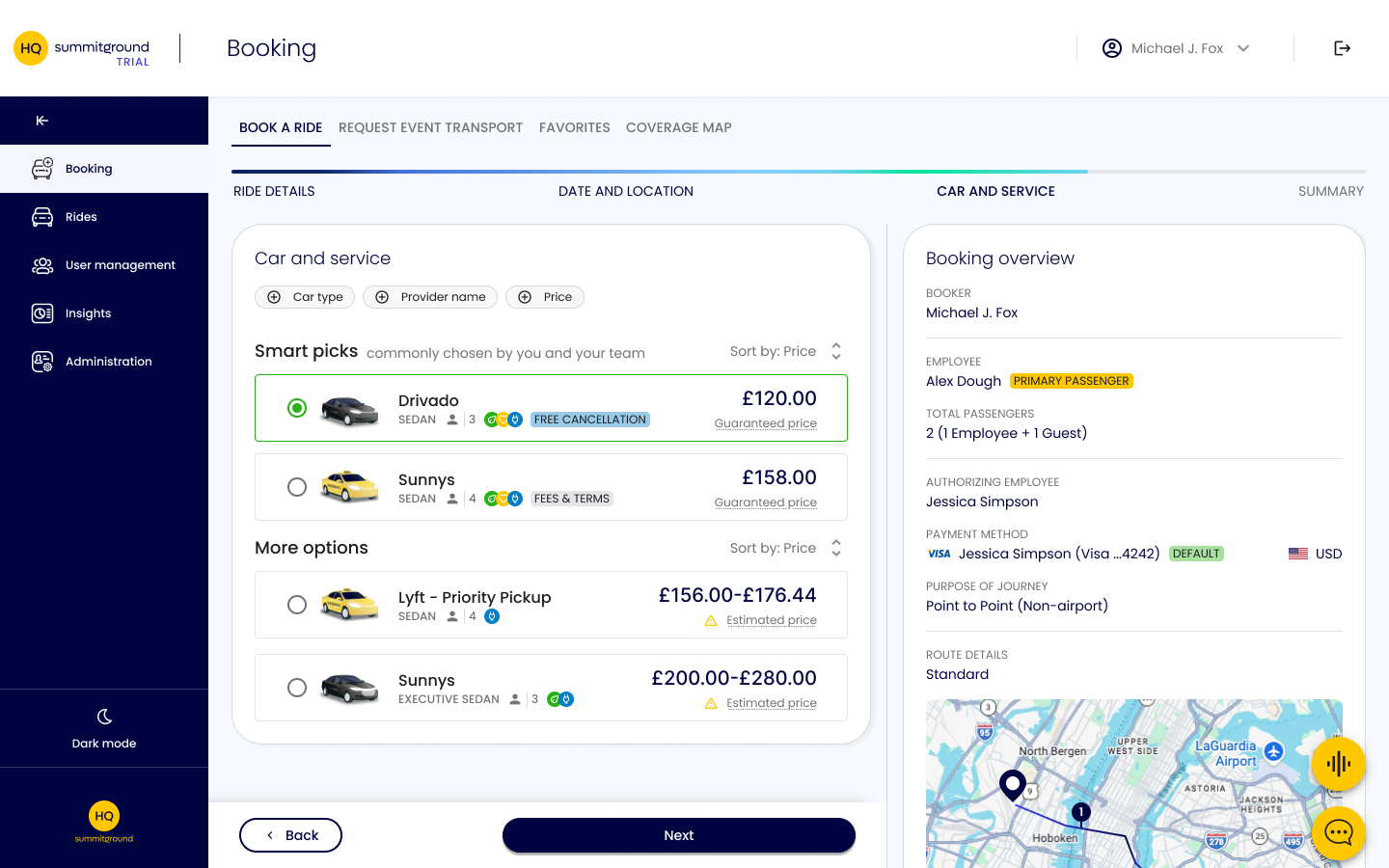
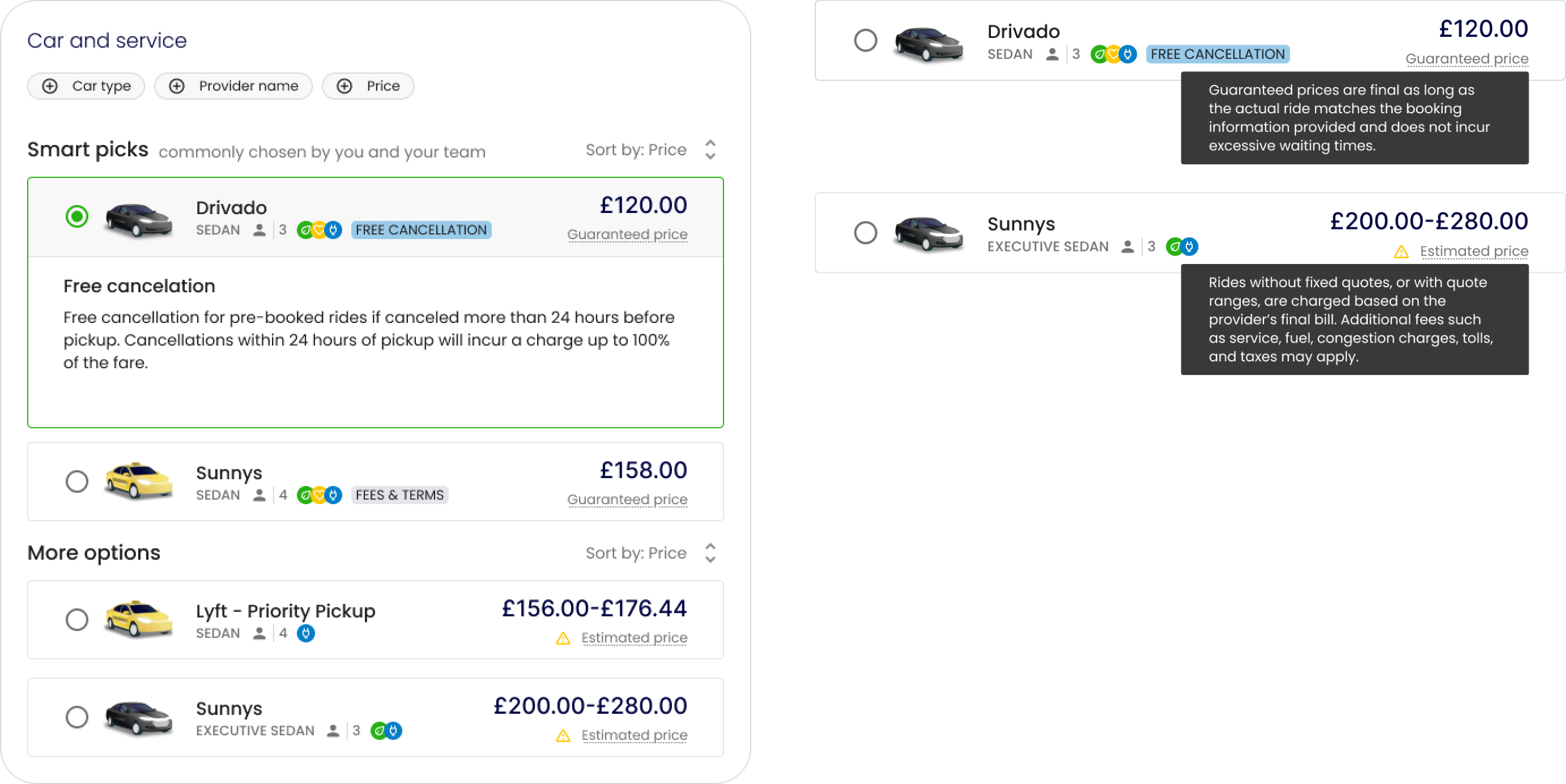
Car and PaymentCar and Service
Problems
- Unclear whose payment methods are being used
- Booking-level actions can unexpectedly change account-level defaults (e.g., a newly added credit card becomes the default payment method)
- The “Special Offer” tag doesn’t provide the type of information it represents
- Important information that can affect the choice of service is hidden, with no visual cue when the section is collapsed
Key UX Decisions
- Payment method moved to the Ride Details step, next to the authorizing employee it belongs to
- New credit cards can now be added only in account settings
- Offers and additional conditions are shown as badges with clear labels
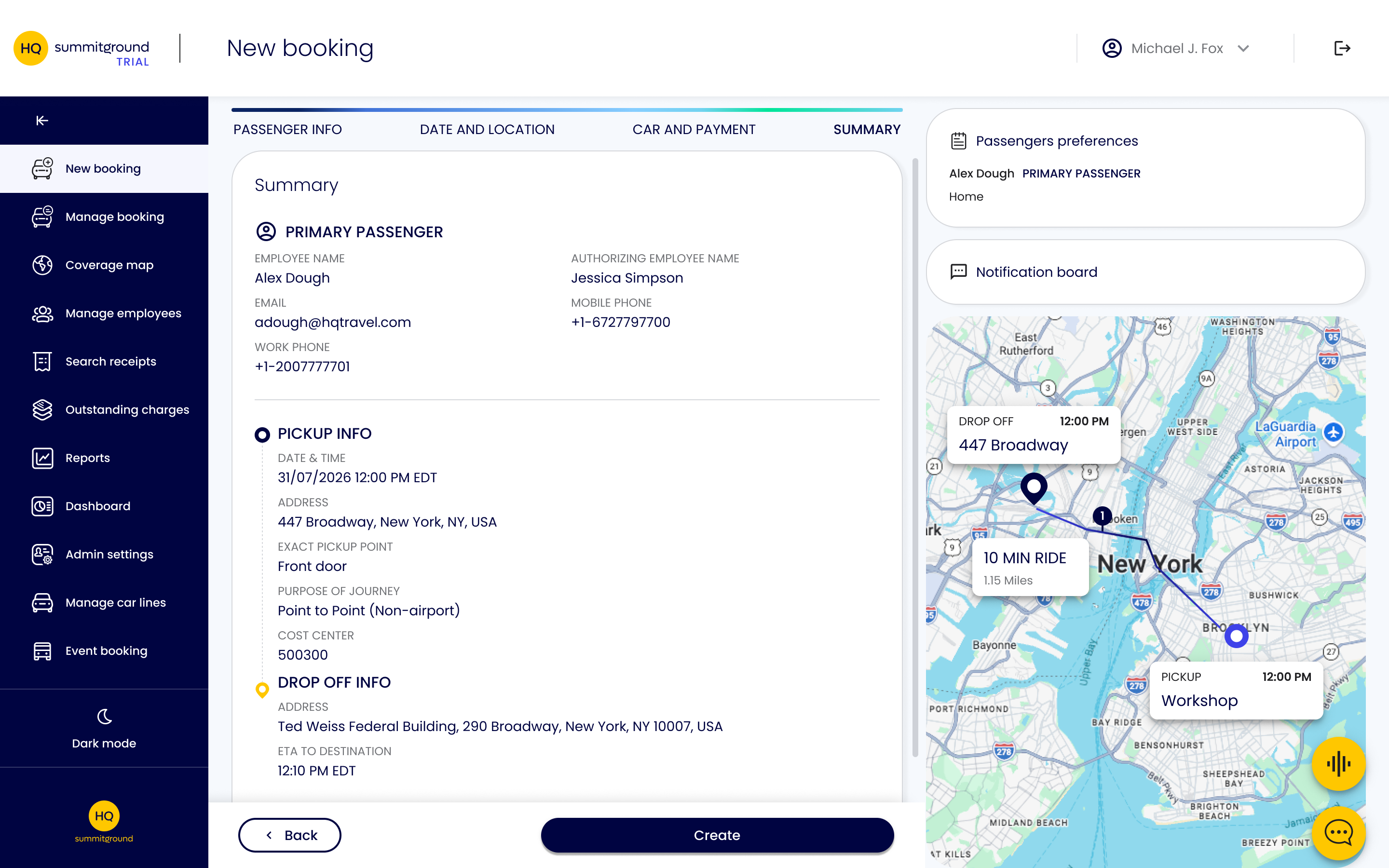
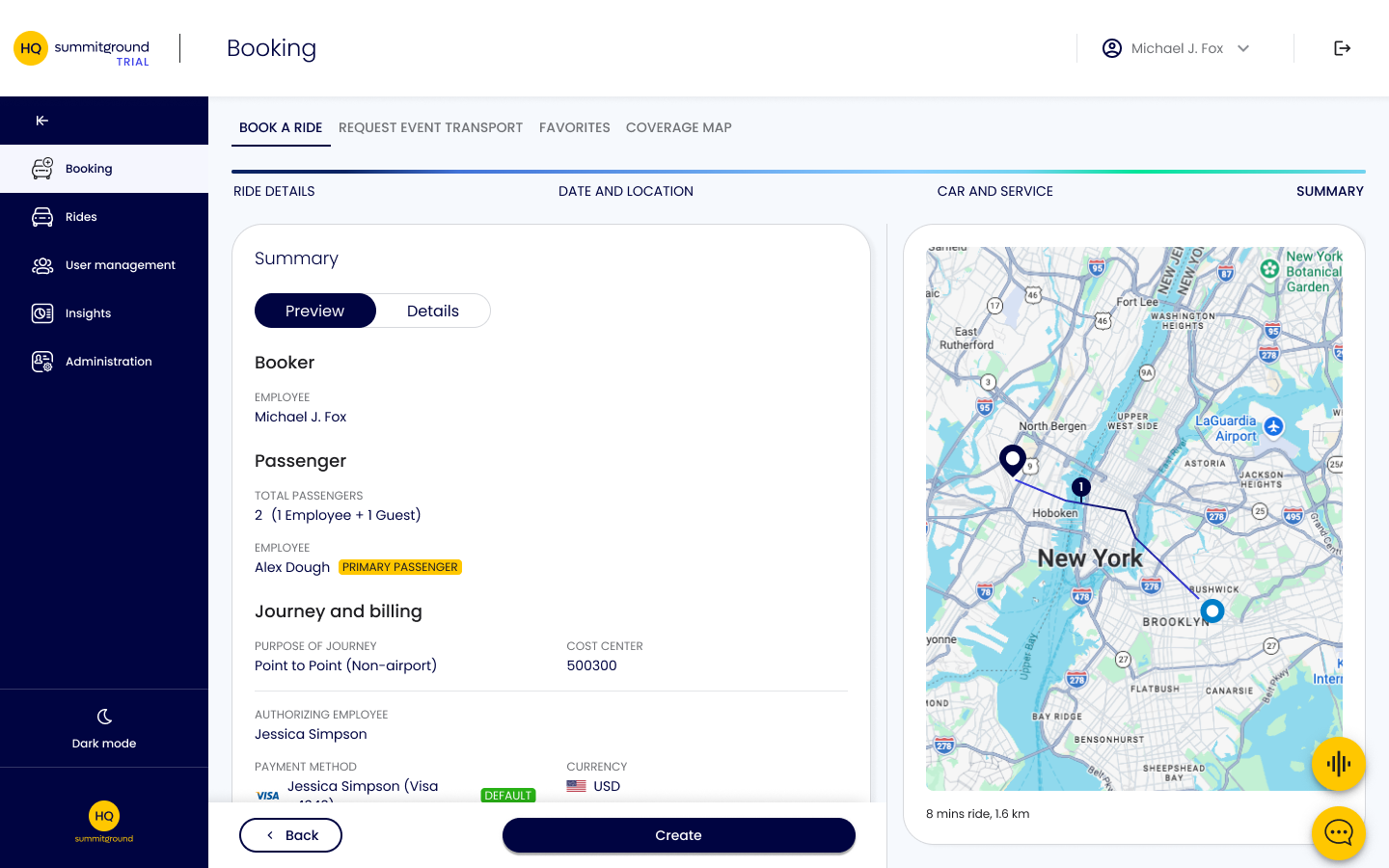
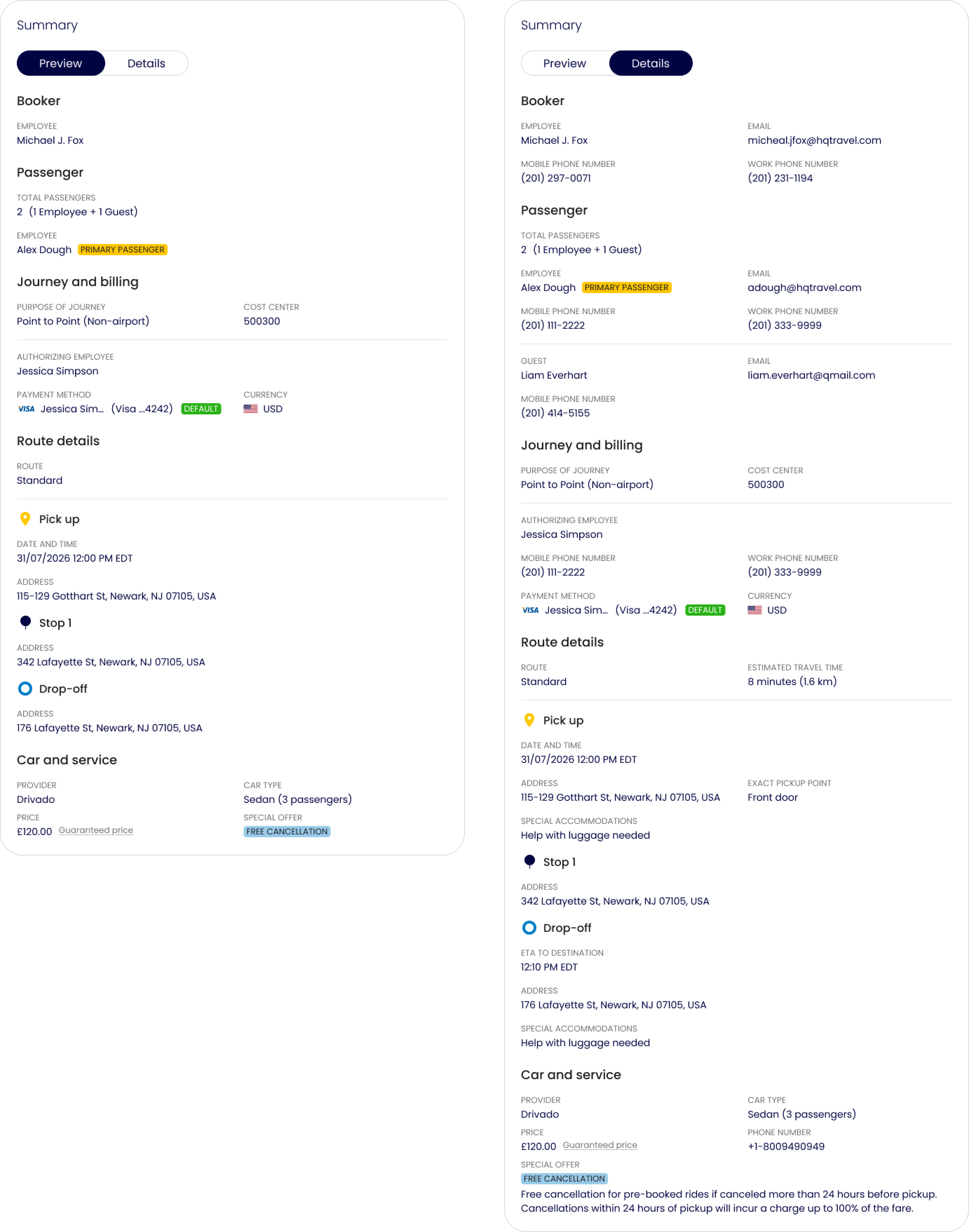
Summary
Problems
- Important conditions, such as the cancellation policy, possible extra charges, and the implications of metered pricing, aren’t shown before confirmation
Key UX Decisions
- Added a short Preview and a full Details view
- Important conditions are shown in both the Preview and Details views
Final Design
Ride Details
Date and Location
Car and Service
Summary
Outcome
I reorganized HQ into five main areas centered on user tasks and redesigned the booking experience. Related tools now sit together, while Ride Details separates passenger, booker, and authorizing employee information and keeps secondary content collapsed.
- Understanding the relationships between people, permissions, and tasks was essential to simplifying HQ
- The product audit helped me identify where clearer grouping, terminology, and information hierarchy could address complexity
- I would test whether users can find receipts, manage users, and complete bookings for themselves and others
- I would track task completion, navigation errors, and confusion around booking roles to assess whether the proposed changes improve usability